Step 3. Middle layer edges
Inserting the four middle-layer edges: which edge to pick, how to decide between the right and left formula, and how to fix an edge stuck in the layer.
Edge to the right
Edge to the left
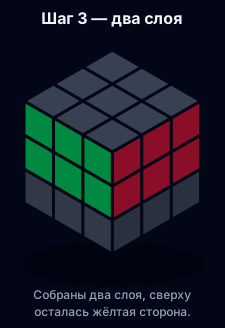
Goal: two layers solved. The middle layer contains four edges with no yellow on them.
Which edge to pick
Look in the top layer for an edge without yellow. There are four of them, and all belong in the middle layer.
Turn U so one of its colours matches the centre below it. You should see a “T”: the edge colour and the centre colour are the same.
The second colour tells you where the edge goes: if it matches the centre on the right, the edge goes right; if it matches the centre on the left, it goes left.
Two formulas
| Where the edge goes | Formula | Memory hook |
|---|---|---|
| Right | U R U' R' U' F' U F | “out to the right, back; out to the front, back” |
| Left | U' L' U L U F U' F' | the mirror of the previous one |
- Build the “T” with U.
- Check the top sticker: does it match the right centre? Then insert right.
- Apply the formula. The edge slots in and the top layer is almost untouched.
- Repeat for the other three edges.
If an edge is stuck
An edge may already be in the middle layer but in the wrong slot or flipped. Neither formula applies — take it out first.
- Put any yellow-free edge above that slot to form a “T”.
- Apply either formula — the wrong edge pops out to the top layer.
- Place it correctly and insert it with the right formula.
Check
- The bottom two layers are solved: two matching rows on every side.
- No yellow stickers in the middle layer.
- The top layer can be anything.
Common mistakes
- Inserting an edge with yellow. Yellow edges belong to the top layer.
- No “T” before the formula. Without matching the centre, the edge goes to the wrong slot.
- Mixing up left and right. Follow the centre colour, not intuition.
- Rotating the cube. The formulas assume a fixed orientation.
Mini FAQ
Does the formula break the first layer? No. Both formulas only move the top layer and one middle edge.
How many times do I repeat? Once per edge. For a stuck edge, one formula to take it out, another to put it in.
No yellow-free edges on top? All four are already in the middle layer, just misplaced. Take them out one by one.
Diagrams
Move by move:

